

How Content Works
Rather than answering from memory, an Agent answers from content, and that content is the subject of this guide. The basic unit of that content is a Source: a book, article, web page, podcast episode, video, media file, or dataset. When you need to work with many Sources at once, you group them into a Collection.
An Agent can draw on two pools of Sources, and the difference between them is worth knowing before anything else. One is your team’s own, the Sources you add and control. The other is the community pool, content other teams have contributed and Apologist has approved. A new Agent can answer usefully from the community pool alone, so adding nothing is a legitimate way to start, and many teams do.
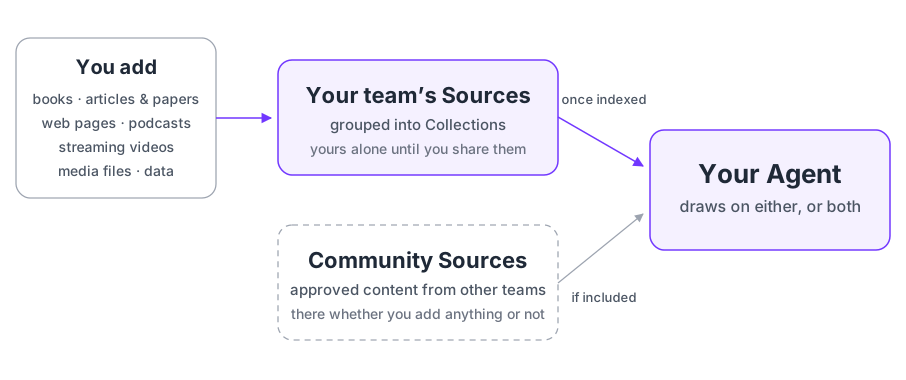
What you add is yours. It reaches your own Agents as soon as it is indexed, and it reaches nobody else unless you offer it and Apologist approves it. The rest of this guide is about that: what a Source is, what has to be true before an Agent can use one, and who else can see it.
Sources Are the Unit
One Source is one piece of content. Everything else in this section attaches to Sources, so it is worth being precise about what one is.
A Source carries the content itself, the text extracted from it, and the information about it: who wrote it, what it covers, where it came from. It has a type, chosen when you add it, and the type is fixed afterwards.
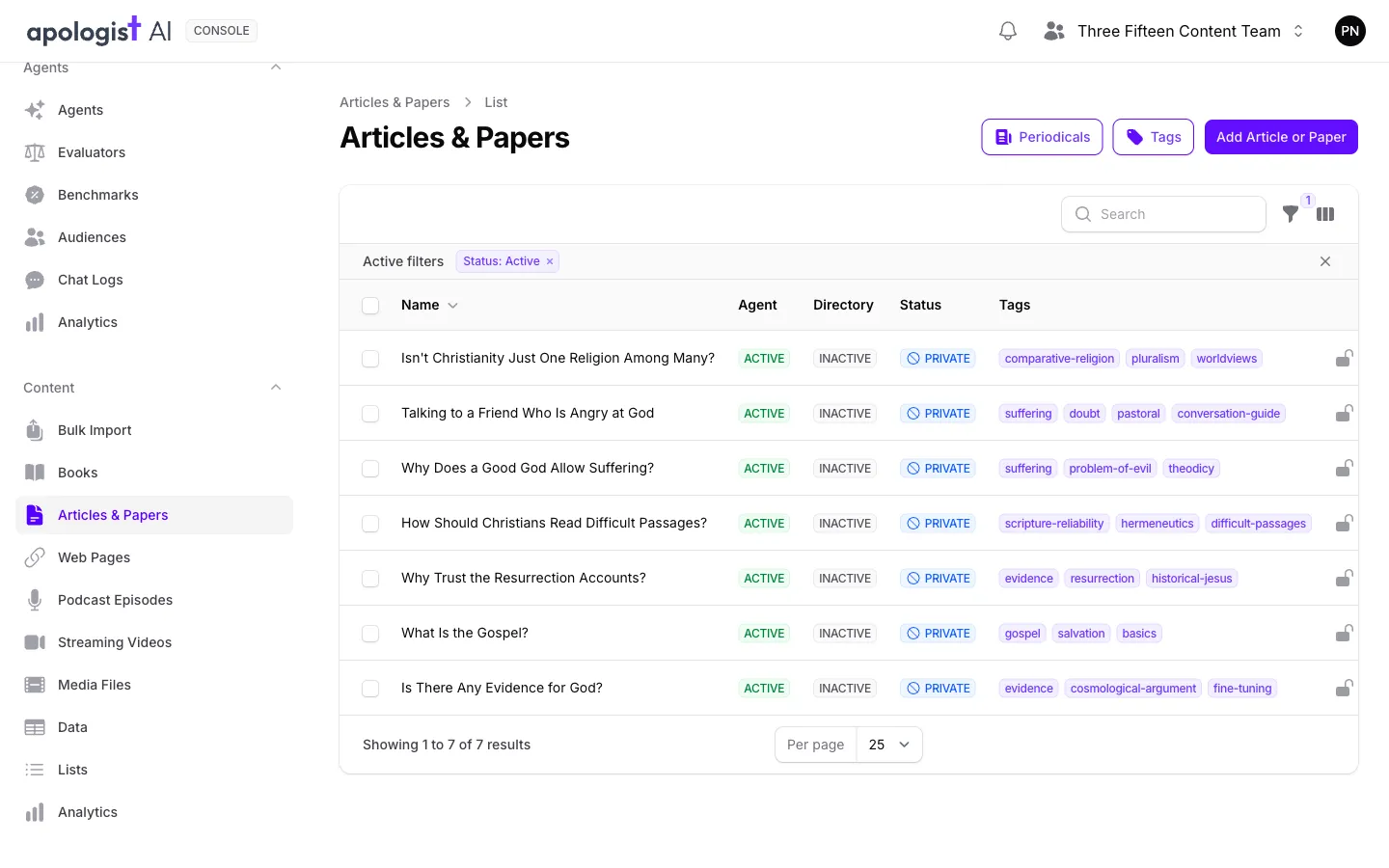
You will not find a list of Sources in the navigation, and that is deliberate. The left-hand menu lists them by type: Books, Articles & Papers, Web Pages, Podcast Episodes, Streaming Videos, Media Files and Data. “Source” is the word for all seven together, used throughout Console and throughout these guides, rather than a screen you can open.
The type also decides how a Source can be grouped. A podcast episode belongs in a podcast, an article in a periodical, a book in a series or an anthology. See Adding and Editing Content for what each type can join.
Collections Group Sources
A Collection is a named set of Sources. Some describe a real-world grouping, like a book series or a podcast, and some exist only for your convenience.
You reach a Collection from the Source type it belongs to rather than from a menu of its own. On the Books list you will find Anthologies and Series, on Articles & Papers you will find Periodicals, and so on. Lists are the exception and hold any type.
Collections do more than tidy. A Collection can carry an image and a description its Sources inherit, and an Agent can be pointed at a whole Collection instead of at Sources one by one. See Organizing Content.
Three Places a Source Can Go
This is the part worth reading twice, because the three are independent and people reasonably assume they are not.
Doing one does not do the others. Indexing a Source for your Agent does not publish it anywhere. Listing it on the Directory does not feed it to your Agent. They are separate switches on separate tabs, and each has its own index behind it.
Every Source list shows all three at a glance. Agent says whether the Agent can use it, Directory whether it is published publicly, and Status whether it has been shared beyond your team.
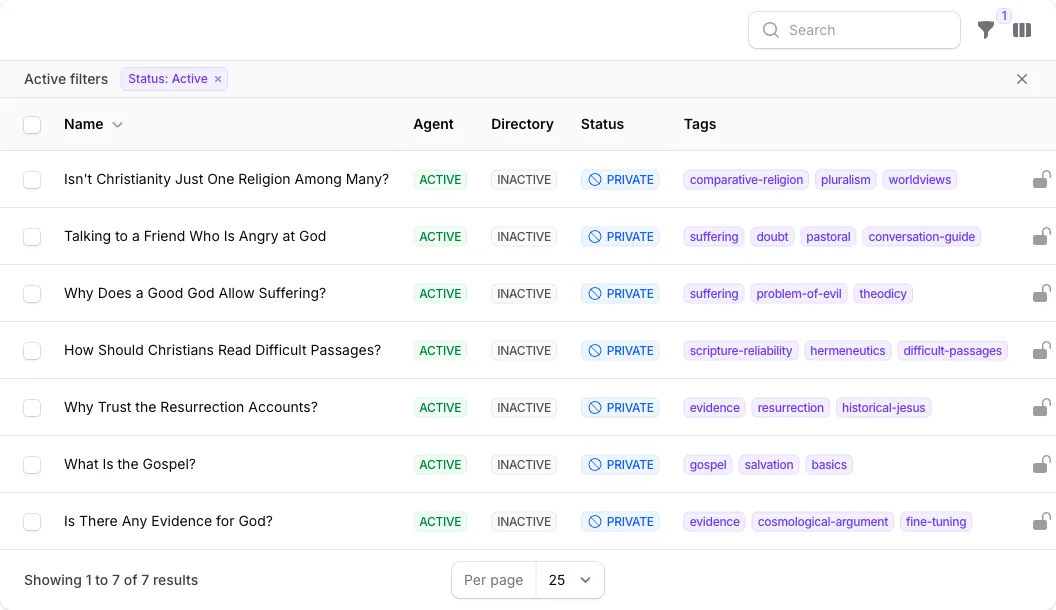
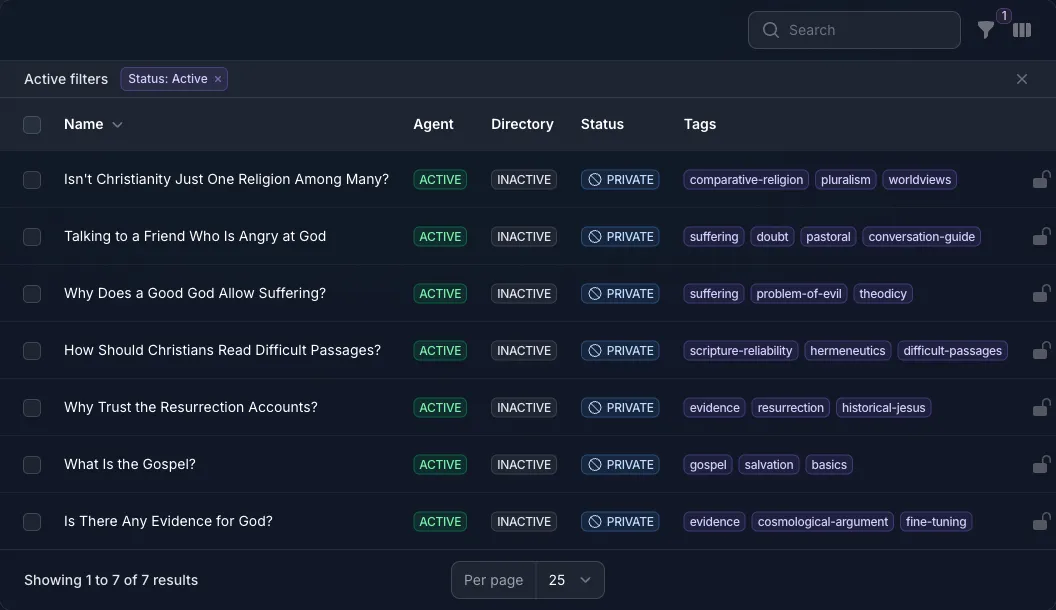
Every row above is indexed for the Agent, listed nowhere, and shared with nobody, which is the usual state of content a team has added for its own Agent.
Getting a Source in Front of Your Agent
Three things have to be true, in this order. Most of the time the second is the one people miss.
- The Source has text. The content has to be readable as plain text before anything can use it. Most types extract it when you add the Source; some need the file uploading yourself.
- You accept the Agent terms, then turn on Index for Apologist Agent. The toggle stays unavailable until you tick the terms above it, and until there is text to index.
- Indexing finishes. This happens in the background and is not instant.
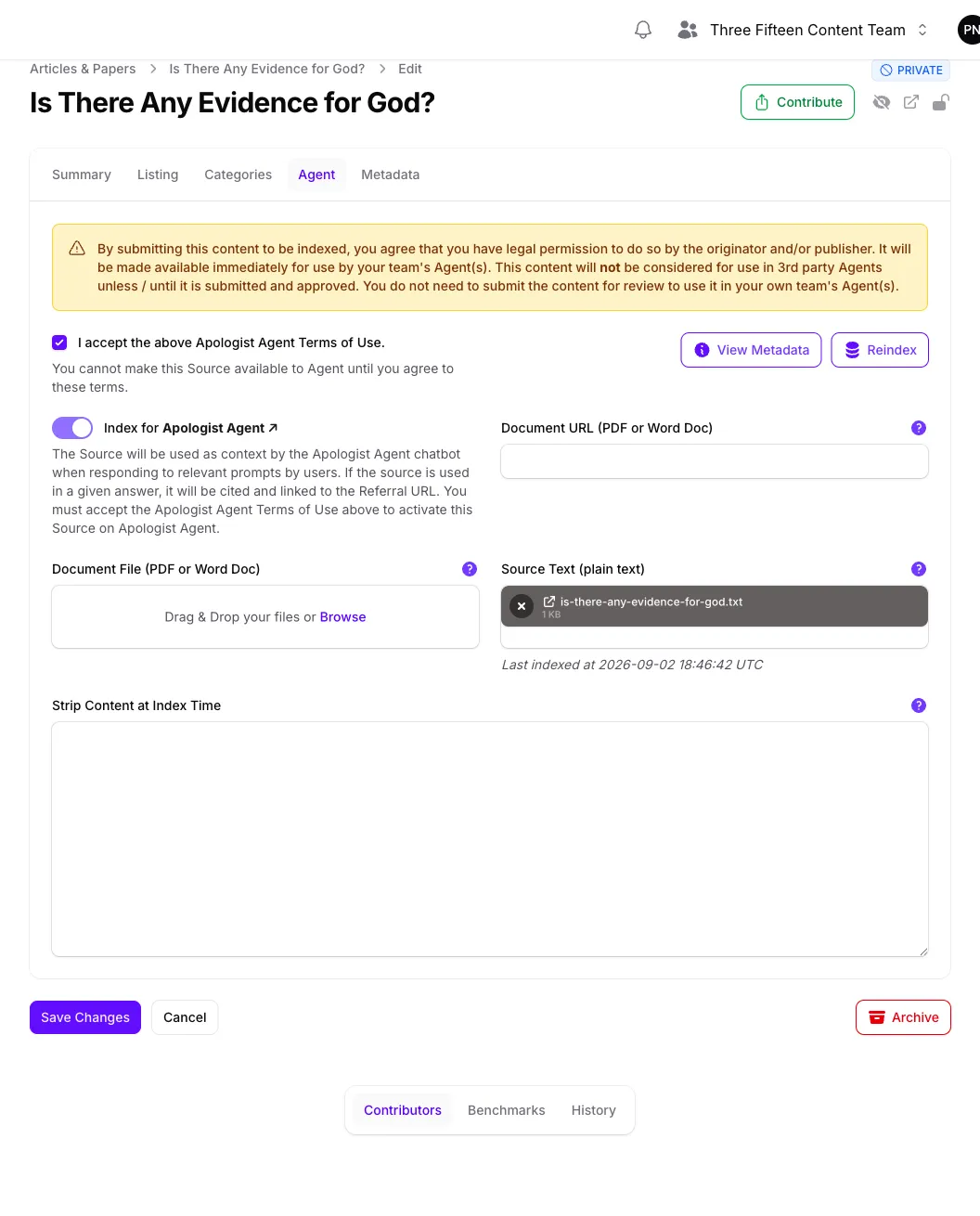
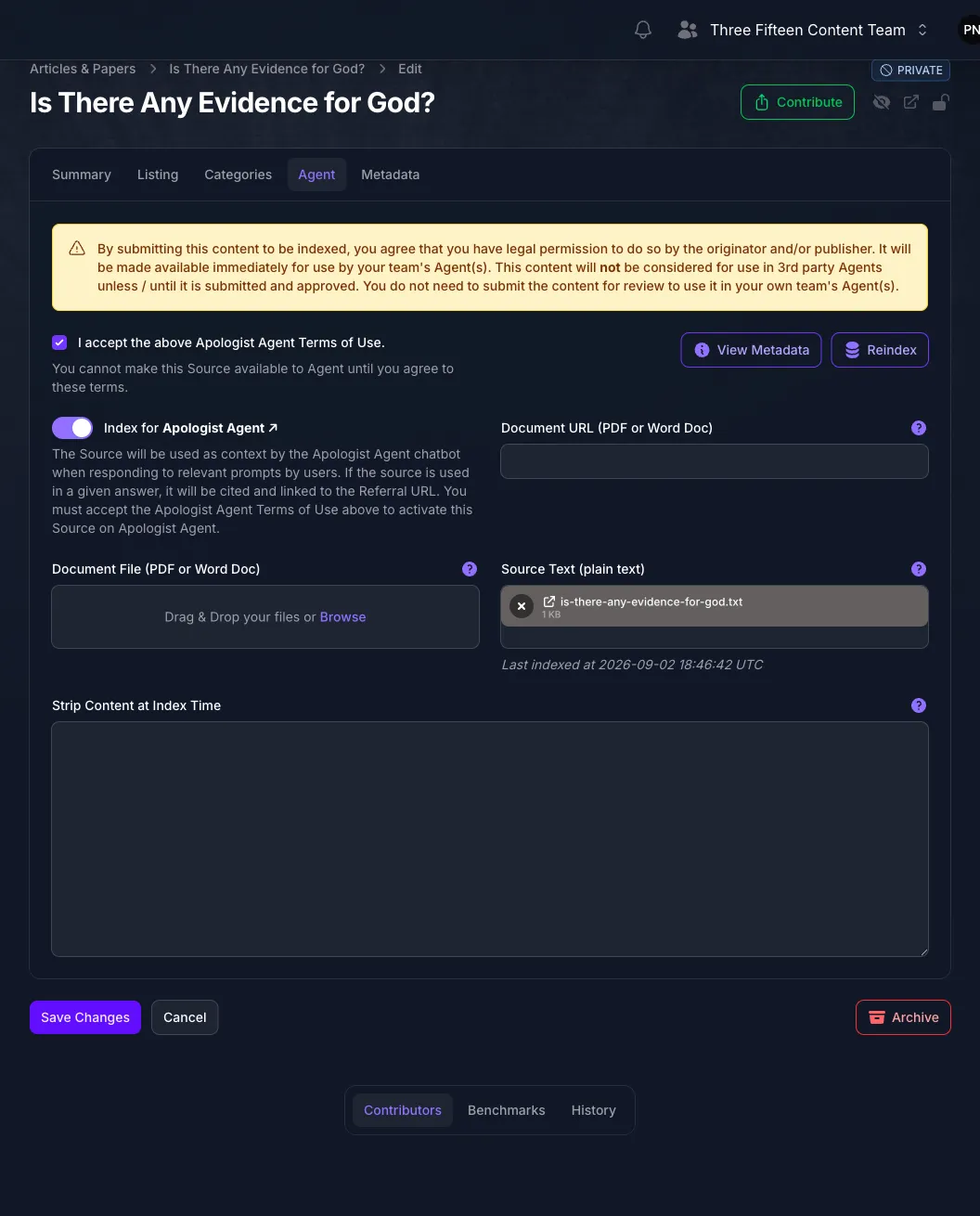
Until all three hold, the Source is invisible to your Agent, and it will not appear in the pickers on the Agent’s Knowledge page either. That is the usual reason a Source you just added cannot be found there. See Curating Sources for choosing between what is available.
Indexing is per Source, not per Agent. A Source is indexed once for your team and every Agent you own can then draw on it. You do not repeat this for each Agent.
Who Else Can Use Your Content
Your own Agents can use anything your team owns, as soon as it is indexed. Nothing else is needed and no approval is involved.
Other teams are different, and it takes two steps. Select Contribute at the top of the Source, confirm, and it goes to Apologist for review. Once approved, your Source joins the pool other teams see as community content, and their Agents can draw on it if they have chosen to include that pool.
The same approval is what allows a Source to appear on the Directory, so one review governs both. Console says as much on the Agent tab: content is available to your own Agents immediately, and is not considered for anyone else’s until it has been submitted and approved.
Contribute appears on Sources you added. It is offered to whoever created the Source rather than gated behind a particular role, and it disappears once the Source has been submitted. Someone with moderator permissions can also contribute a Source that another person added.
The Status column on any Source list tells you where a Source has got to:
Approval is not undone by a toggle. Turning off Index for Apologist Agent stops your own Agents using a Source, but an approved Source stays in the community pool. Withdrawing it needs a moderator, so it is not something you can reverse yourself.
Coming the other way, your Agents can draw on the community pool too, which is why a new Agent can answer before you have added anything. That is chosen on the Agent, not here. See Curating Sources.
Content and the API
The same indexed content is what the Agent API’s corpus search endpoint returns. Your Agent’s answers and a search query read the same corpus, so anything true of one is true of the other: index a Source and both can reach it, remove it and neither can. See the Agent API.
Next Step
Continue to Adding and Editing Content to put content in, or to Organizing Content to group what is already there.