

Custom Tracking Scripts
Chat Logs and Analytics report an Agent’s activity inside Console. Custom Scripts sends that activity to your own analytics instead, so an Agent appears beside everything else you already measure.
It is one field on the Agent’s UI Settings page, and it holds JavaScript that runs on the Agent’s pages. Suppose your website reports to Google Analytics. Paste the same tag into this field and the Agent’s visitors land in the same account, under the same reports, without anything else to set up.
A tag like that counts visits and not much more, because nothing tells it what the parts of a chat page mean. So the Agent says what a visitor is doing, as browser events your script can listen for: a question asked, a Call to Action clicked, a guardrail fired.
Purpose
Add your own analytics or tracking code to an Agent’s pages, and listen for the Agent’s events so your reports show what visitors did rather than only that they arrived.
Prerequisites
- An Agent with Standalone Web UI or Embedded Web Widgets turned on. Without one of those the Agent has no page for a script to run on, and no UI Settings to put it in. See Standalone Web UI and Embedding On a Website.
- Permission to edit Agents for your team.
- The tracking code you want to add, and somewhere for it to report to.
Anything you paste here runs on the Agent’s pages for every visitor, exactly as written and with nothing removed. A mistake breaks the page for everybody, and a third-party tag can see everything on it. Paste only code you trust, and check your obligations around consent and visitor privacy before you add tracking.
Add a Script
Select Agents in the left-hand navigation, open your Agent, then choose UI Settings and select the Scripts tab.
Paste your code into Custom Scripts, including its <script> tags, then select Save Changes. Two things go in here, and you can put both in the same field: the snippet your analytics provider gave you, pasted unchanged, and the listeners that record what a visitor did, which Listen for an Event shows you how to write.
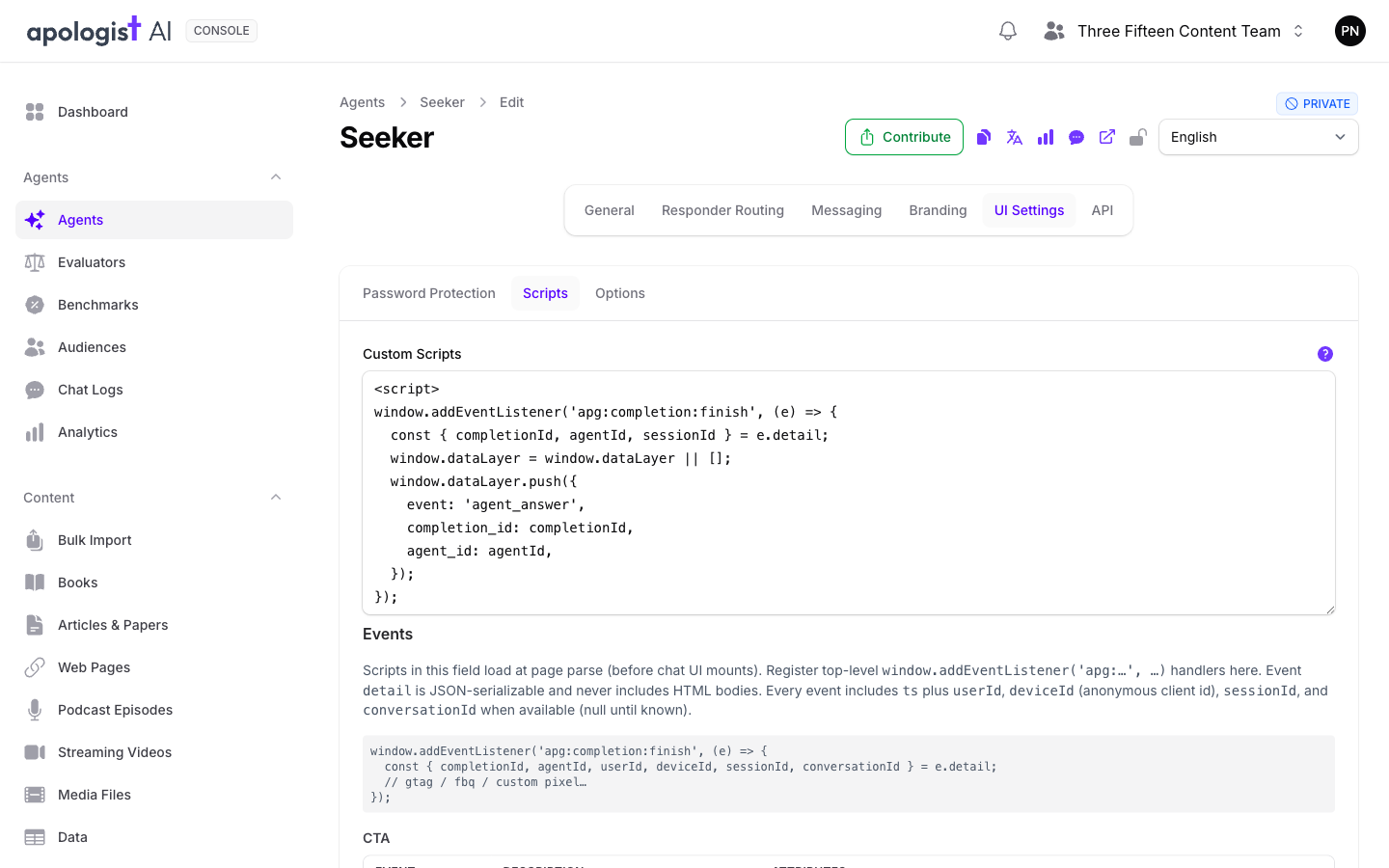
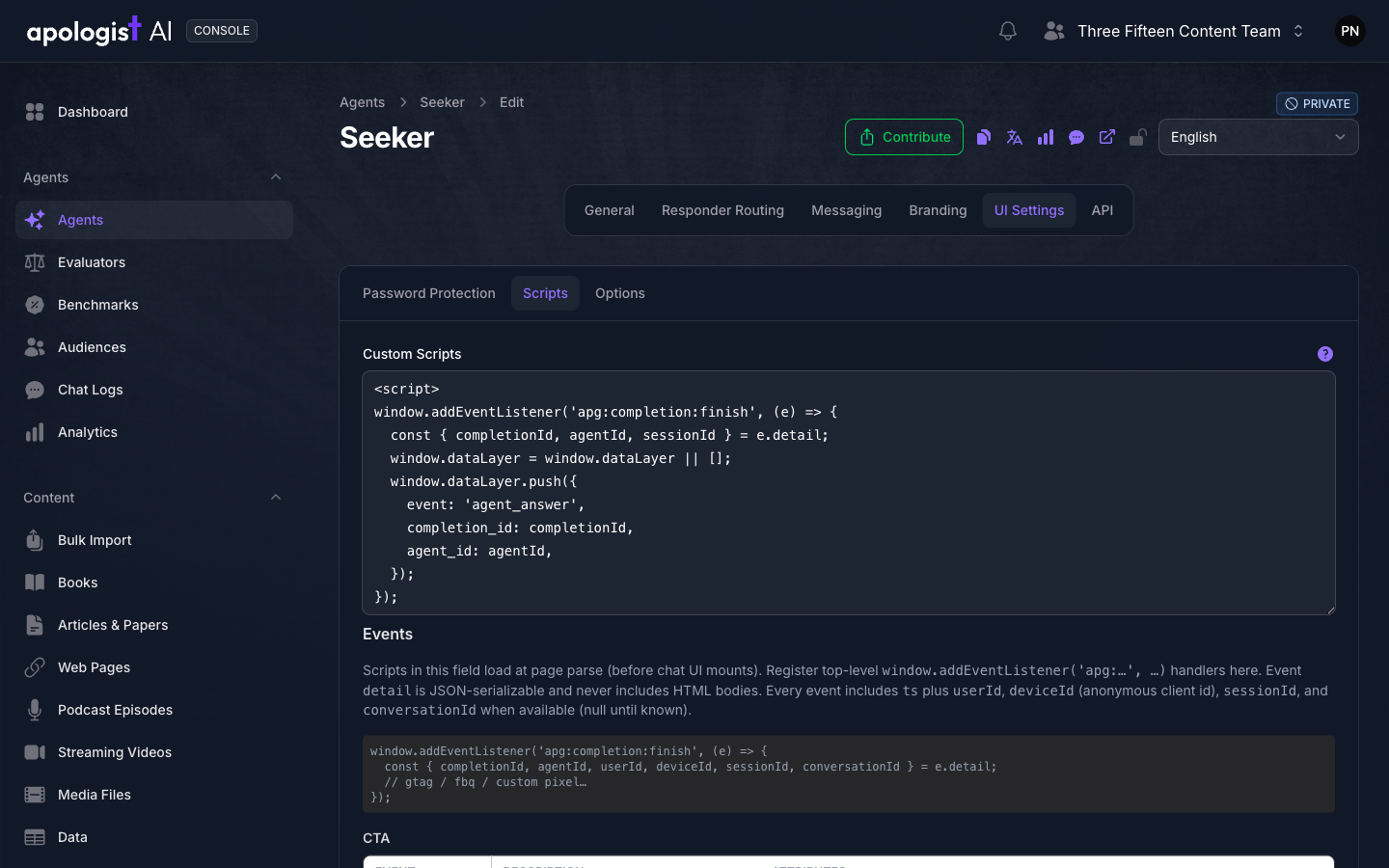
Beneath the Custom Scripts field, Console lists a reference of every event the Agent publishes, grouped by source. It mirrors the Events section below, so you can write a listener without leaving the screen.
Your custom script code is placed on the Agent’s pages and runs as the page is parsed, before the chat interface appears. That is early enough for a top-level window.addEventListener to catch every event below, so you do not need to wait for anything to be ready.
Put scripts here and nowhere else. The rich text fields on Calls to Action, guardrails and other messages are for content shown inside the conversation, and their HTML is cleaned before it reaches a visitor. A <script> tag in one of those is removed and never runs.
Listen for an Event
The Agent dispatches its events on window, each one named with an apg: prefix. Register a listener for the ones you care about and read the rest from event.detail.
Every event carries the same identifiers, so you can stitch one visitor’s activity together whichever events you listen for.
The three identifiers are created the first time a visitor needs one, so they are there from the very first event rather than arriving partway through. They are held in the browser’s own storage, so they come through as null when a visitor has that blocked. userId is null unless your integration set one, which most Agents never do.
Event details are plain JSON values, and never contain the HTML of anything shown to the visitor. Where an event refers to something with a body, such as a Call to Action, it gives you the identifier and leaves you to look the content up.
Events
Asking a Question
A starter prompt sends a question without going through the input box, so apg:starter:click fires instead of apg:prompt:submit, not as well as. Counting both as one “question asked” means listening for both. See Starter Prompts.
questionId names the starter prompt that was selected, and stays the same every time anyone selects it. It is not the identifier of the exchange that follows, which arrives separately as completionId below.
Answering It
completionId is the identifier of the exchange, and it is what to record if you want to find the same conversation later in Chat Logs. It does not exist yet when apg:completion:start fires, and it is not reported on an error, so take it from apg:completion:finish.
language is the language code the exchange is in, or auto on an Agent that detects the language of each question for itself. See Configuring Languages.
What a Visitor Does With an Answer
Each of these fires on the answer the visitor acted on, and carries agentId and completionId and nothing else, apart from the one noted below.
apg:completion:sources:open also carries sourceCount, the number of Sources the answer cited. A like and a flag are the same two events a visitor’s action writes into Chat Logs, so you can count them here and read them there.
Calls to Action
apg:cta:display fires once per answer per Call to Action, so a visitor scrolling back up past one they have already seen does not count twice.
source says how the Call to Action was chosen: metadata when it arrived with the answer, and match when it was matched after the answer had been written. reason on apg:cta:open distinguishes a visitor opening the dialog from the Agent opening it for them.
Guardrails
source on apg:guardrail:display is worth checking before you count anything. live means the guardrail has just fired. hydrate means the visitor reloaded a page while still locked out and is being shown the same message again, which is not a new event in your funnel.
apg:guardrail:redirect fires immediately before the browser leaves the page, so a listener that reports it asynchronously may not finish in time. Use navigator.sendBeacon for that one.
Voice and Dictation
An Agent uses one of these, never both. A voice to voice Agent holds a spoken conversation; every other Agent offers browser dictation, which turns speech into text in the input box.
The Rest of the Page
Where These Events Do and Do Not Reach
These are browser events, so they exist only where the Agent has a browser page: its own address and the embedded widget. Conversations that arrive through a messaging channel or through the Agent API never touch a page, so nothing here fires for them. Use Notifications to be told about those.
The embedded widget runs in an iframe, and events stay inside it. Nothing is passed out to the page hosting the widget, so a tag installed on your own site sees none of this. Put the tracking in Custom Scripts instead, which runs inside the iframe where the events are, and let it report to the same account your site reports to.
Check That It Works
Open the Agent in a browser, open your browser’s developer tools, and paste this into the console. It prints every apg: event as it happens.
Ask the Agent a question. You should see apg:prompt:submit, then apg:completion:start, then apg:completion:finish with a completionId. If those three arrive, your script will see everything else too.
Troubleshooting
- There is no Scripts tab, or no UI Settings page. The Agent has no web interface turned on. Turn on Standalone Web UI or Embedded Web Widgets under General, then Capabilities, and select Save Changes.
- The script does not run at all. Check that it is wrapped in
<script>tags. The field takes markup, not bare JavaScript, and pasting a snippet without its tags leaves text on the page rather than code that runs. - The Agent’s page is broken since you saved. Your code runs exactly as written, so a syntax error in it can stop the rest of the page. Clear the field, save, and reload before looking for the fault elsewhere.
- No events arrive. Confirm you are on the Agent’s own page rather than your own site around it. On an embedded Agent the events fire inside the iframe, so a listener added by your site’s own tag never sees them.
- Events arrive but your analytics records nothing. Your listener is probably running before your analytics library has loaded. Load the library first in the same field, and queue events rather than calling into it directly.
userIdis always empty. Nothing sets it unless your integration does. Identify the visitor bydeviceIdinstead, which every Agent produces on its own.- Every identifier is empty. The visitor’s browser is blocking storage, which is what these are kept in. There is no way around it, so count those visits by event rather than by person.
- A Call to Action is counted twice. Listen for
apg:cta:displayrather than watching for the element. The event is already limited to once per answer. - A guardrail is counted more often than it fired. Ignore
apg:guardrail:displaywheresourceishydrate. That is a reload of an existing lockout, not a new one. apg:completion:errornever gives you acompletionId. It does not carry one. Correlate by session or conversation instead, or read the failure in Chat Logs.
Next Step
Continue to Chat Logs to read the same conversations inside Console, or to Analytics for the counts Console keeps on its own.